IPB

Welcome Guest ( Log In | Register )


Reply to this topicStart new topic
> Animated avatars
Team Black
post Oct 31 2006, 12:11 AM
Post #1


Core Defender
Group Icon

Group: Global Moderators
Posts: 2,841
Joined: 23-October 06
From: New York, U S of A
Member No.: 123
Alliance: GDI
Favorite game: Tiberian Sun


What's the best way to make my own animated avatar/sig (or any animated picture for that matter)?

Not using an exsisting one, but making mine %100 of myself


--------------------
Go to the top of the page
 
: | +Quote Post
Robo fish
post Oct 31 2006, 12:11 AM
Post #2


Attack Cycle
Group Icon

Group: Members
Posts: 304
Joined: 21-October 06
From: Quebec, Canada
Member No.: 22
Alliance: Scrin
Favorite game: Tiberian Sun


i don't know, but they must be in .gif format to move


--------------------

QUOTE(Ixith)
dude.......get this.......in my Latin class tomorrow........wer having an Orgi
Go to the top of the page
 
: | +Quote Post
Team Black
post Oct 31 2006, 12:15 AM
Post #3


Core Defender
Group Icon

Group: Global Moderators
Posts: 2,841
Joined: 23-October 06
From: New York, U S of A
Member No.: 123
Alliance: GDI
Favorite game: Tiberian Sun


QUOTE (Robo fish @ Oct 30 2006, 09:11 PM) *
i don't know, but they must be in .gif format to move


yeah, the animations I've seen are pretty much all .gif's


--------------------
Go to the top of the page
 
: | +Quote Post
Bittah Commander
post Oct 31 2006, 01:07 AM
Post #4


Forum Administrator
Group Icon

Group: Administrators
Posts: 1,340
Joined: 1-October 06
From: The Netherlands
Member No.: 5
Alliance: GDI
Favorite game: Tiberian Sun


Either make separate images for all frames and then convert them to one animated gif file, or start a new project in ImageReady, then transver it to Photoshop and create and edit the frames however you like.


--------------------
Go to the top of the page
 
: | +Quote Post
Team Black
post Oct 31 2006, 01:14 AM
Post #5


Core Defender
Group Icon

Group: Global Moderators
Posts: 2,841
Joined: 23-October 06
From: New York, U S of A
Member No.: 123
Alliance: GDI
Favorite game: Tiberian Sun


ImageReady and Photoshop make anims...I'll check it out

Now in your own sig for example you have a clip from a TS FMV, how would someone go about that?


--------------------
Go to the top of the page
 
: | +Quote Post
Bittah Commander
post Oct 31 2006, 01:28 AM
Post #6


Forum Administrator
Group Icon

Group: Administrators
Posts: 1,340
Joined: 1-October 06
From: The Netherlands
Member No.: 5
Alliance: GDI
Favorite game: Tiberian Sun


First I converted the FMV to an AVI file and loaded it in Camtasia Studio (which can be downloaded from www.techsmith.com). Then cut out the part I wanted to use and saved it as an animated gif file, which I then opened in ImageReady. In imageReady I made some final adjustments; I added my name in ImageReady too, though I added my name in Camtasia Studio in an older version of my sig, ImageReady just allows you to work a little more precise.
Anyway, then I just saved the optimized version of my signature and it's done...

I only needed to use ImageReady for my sig and not Photoshop because it's actually a pretty simple sig. If you also want to edit the images themselves (other than just their brightness, their position, their optimatisy, etc.), you'll need to transver the animated gif to photoshop (you can't just open the animated gif in photoshop directly, or it'll only show the first frame of the animation). I used photoshop alot for my Avatar for instance.

Also, Photoshop can also be used to reduce images (including animated gifs) in filesize. Just transver the animated gif to photoshop (if you're not already working in it that is) and go to 'Save for web'.


--------------------
Go to the top of the page
 
: | +Quote Post
ShDwBoRn
post Oct 31 2006, 02:31 AM
Post #7


Attack Cycle
Group Icon

Group: Members
Posts: 345
Joined: 24-October 06
From: I'm in a cardboard box on the dark side of jupiters third moon eating cold canned soup.
Member No.: 141
Alliance: Nod
Favorite game: Tiberian Sun


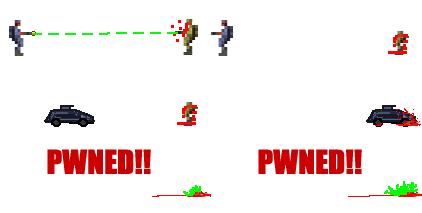
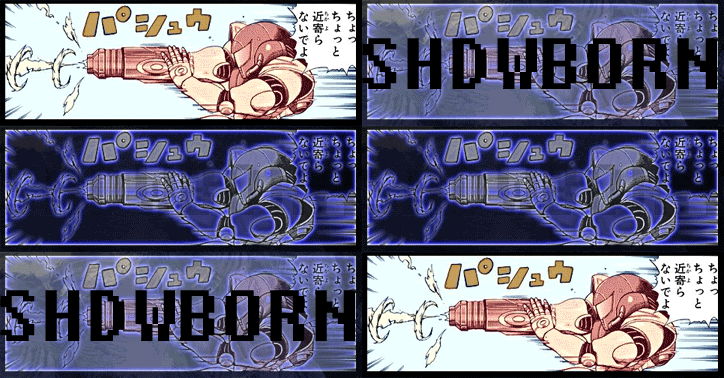
usually what i do is use macromedia fireworks mx to create a .png animation and convert it to a animated GIF this here below is a sig i made (i also have it in .swf format)


--------------------
]
Go to the top of the page
 
: | +Quote Post
AluminumPancake
post Oct 31 2006, 02:36 AM
Post #8


Minigunner
Group Icon

Group: Members
Posts: 15
Joined: 25-October 06
From: Bendy Straws What?
Member No.: 147
Alliance: GDI
Favorite game: Tiberian Sun


If you want something like Bittah's, I'd take his advice, but what I've seen and have done is create whatever in Flash, then Save As > .gif or Export > .gif; I'm not sure which one. I haven't done it in a while.


--------------------
QUOTE("Vanilla")
A rusty metal knife is yawn, but a rusty PLASTIC knife! Watch out!


Go to the top of the page
 
: | +Quote Post
DeathRay2K
post Oct 31 2006, 03:05 AM
Post #9


Banned God
Group Icon

Group: Super Moderators
Posts: 517
Joined: 2-October 06
From: Canada
Member No.: 9
Alliance: Nod
Favorite game: Tiberian Sun


Flash is fantastic for vector art, but with raster data, it simply sucks.

Because I don't like ImageReady very much (like most Adobe apps, its quite bloated and slow), I would make all the frames in Photoshop, and then simply put them together in another program (ImageReady is alright for this, but other programs are much quicker). Animation Shop works well for me.


--------------------
Go to the top of the page
 
: | +Quote Post
Roani52
post Oct 31 2006, 01:18 PM
Post #10


Artillery
Group Icon

Group: Members
Posts: 987
Joined: 22-October 06
From: Netherlands
Member No.: 90
Alliance: GDI
Favorite game: Tiberian Sun


Use the SHP builder tongue.gif
Choose File>export.


This post has been edited by Roani52: Oct 31 2006, 01:19 PM


--------------------

/\ TY Bittah! /\

If you've X-Fire... Just add me If you join 'WhatPulse', also join 'Alpha Squad'!!! (My Profile: 'Here')


"Computers crash, people die and relationships fall apart. The only thing you can do is taking a deep breath and reboot"
Go to the top of the page
 
: | +Quote Post
=NX=Firefx
post Oct 31 2006, 01:40 PM
Post #11

Disc Thrower
Group Icon

Group: Members
Posts: 73
Joined: 21-October 06
From: Bristol, UK
Member No.: 41
Alliance: Nod
Favorite game: Tiberian Sun


I don't think SHP builder is very proffesional in terms of image editing...


--------------------
Go to the top of the page
 
: | +Quote Post
Yoshi
post Oct 31 2006, 06:14 PM
Post #12


Hum-vee
Group Icon

Group: Members
Posts: 161
Joined: 28-October 06
From: Fremont, CA
Member No.: 180
Alliance: GDI
Favorite game: Tiberian Sun


I used Photoshop and ImageReady for mine. Other than that I use Flash a majority of the time.


--------------------
Go to the top of the page
 
: | +Quote Post
Creagor
post Oct 31 2006, 06:46 PM
Post #13


Flame Tank
Group Icon

Group: Global Moderators
Posts: 568
Joined: 21-October 06
From: Look over there! *runs*
Member No.: 40
Alliance: GDI
Favorite game: Tiberian Sun


Hmm, I just use old-school microsoft GIF animaitor smile.gif (and use photoshop for the frames)


--------------------

Fluent in |3375p3k, 68 65 78 65 64 65 63 69 6d 61 6c, ebg13, -- --- .-. ... . -.-. --- -.. . --..-- and 01100010 01101001 01101110 01100001 01110010 0111100100101110
(Whoever translates that gets nothing, just +1 on thier geek score)
Go to the top of the page
 
: | +Quote Post
Team Black
post Nov 20 2006, 09:17 PM
Post #14


Core Defender
Group Icon

Group: Global Moderators
Posts: 2,841
Joined: 23-October 06
From: New York, U S of A
Member No.: 123
Alliance: GDI
Favorite game: Tiberian Sun


QUOTE
In Image Ready you'll need to select 'Save optimized as...' and in Photoshop you'll need 'Save for web'


Yeah I did that now, and then uploaded it as my avatar...as you can see, still no animation.

Under "Save As Optimized", the only gif option is "Images Only (.gif),"
which is only one frame. Is there a specific setting that I have to use?
I have it under "default settings" right now..

EDIT: I just posted it on myspace, and the animation works there...
What could be the problem with it here then?

EDIT2: Crap, I just maxed my avatar-upload-frequency limit. It would be AWESOME if an admin could reset it for me. Yeah, I know

This post has been edited by Team Black: Nov 20 2006, 10:01 PM


--------------------
Go to the top of the page
 
: | +Quote Post
Bittah Commander
post Nov 21 2006, 12:25 AM
Post #15


Forum Administrator
Group Icon

Group: Administrators
Posts: 1,340
Joined: 1-October 06
From: The Netherlands
Member No.: 5
Alliance: GDI
Favorite game: Tiberian Sun


Never knew there was a limit on that and I don't think I can reset it for you.

And the reason why your avatar didn't work... Was it smaller than 140x140 pixels? Also, was it's file size smaller than 100 KB? If it wasn't, you can't upload it and have to upload it at an image host and then enter the URL to it.

If you really don't manage to change it yourself, give me the URL to the image you uploaded at an image host and want to use as your avatar and I'll make it your avatar for you wink1.gif


--------------------
Go to the top of the page
 
: | +Quote Post
snow93
post Nov 24 2006, 04:40 PM
Post #16


Grenadier
Group Icon

Group: Members
Posts: 32
Joined: 21-October 06
From: Cambridge, England
Member No.: 72
Alliance: GDI
Favorite game: Tiberian Sun


http://catb.org/~esr/html-hell.html

You might find something useful about animations on that page too.
Seriously though, programs such as Pivot Stickfigure Animator for simple things might be good.


--------------------
Use GNU/Linux Everyone!

New Website: www.ugnus.uk.eu.org

Go to the top of the page
 
: | +Quote Post
Team Black
post Dec 13 2006, 08:11 PM
Post #17


Core Defender
Group Icon

Group: Global Moderators
Posts: 2,841
Joined: 23-October 06
From: New York, U S of A
Member No.: 123
Alliance: GDI
Favorite game: Tiberian Sun


YESSSS, I got it working!!!!

it was over 100 kb, that was my problem

@snow93 pivot stickfigure rocks, thanks for the link


--------------------
Go to the top of the page
 
: | +Quote Post
gufu
post Dec 16 2006, 05:08 PM
Post #18


Attack Cycle
Group Icon

Group: Members
Posts: 303
Joined: 21-October 06
Member No.: 79
Alliance: GDI
Favorite game: Tiberian Sun


Any FREE way?


--------------------
Join GDI - we save lives, planet, tree huggers, and ways of natural evolution.
Go to the top of the page
 
: | +Quote Post
ShDwBoRn
post Dec 16 2006, 06:01 PM
Post #19


Attack Cycle
Group Icon

Group: Members
Posts: 345
Joined: 24-October 06
From: I'm in a cardboard box on the dark side of jupiters third moon eating cold canned soup.
Member No.: 141
Alliance: Nod
Favorite game: Tiberian Sun


usually i use macromedia fireworks to make a .PNG format animation, then i use the same program to convert to a animated
.GIF


--------------------
]
Go to the top of the page
 
: | +Quote Post

Reply to this topicStart new topic
1 User(s) are reading this topic (1 Guests and 0 Anonymous Users)
0 Members:


Lo-Fi Version Time is now: 4th December 2025 - 01:06 PM


XGhozt.com